
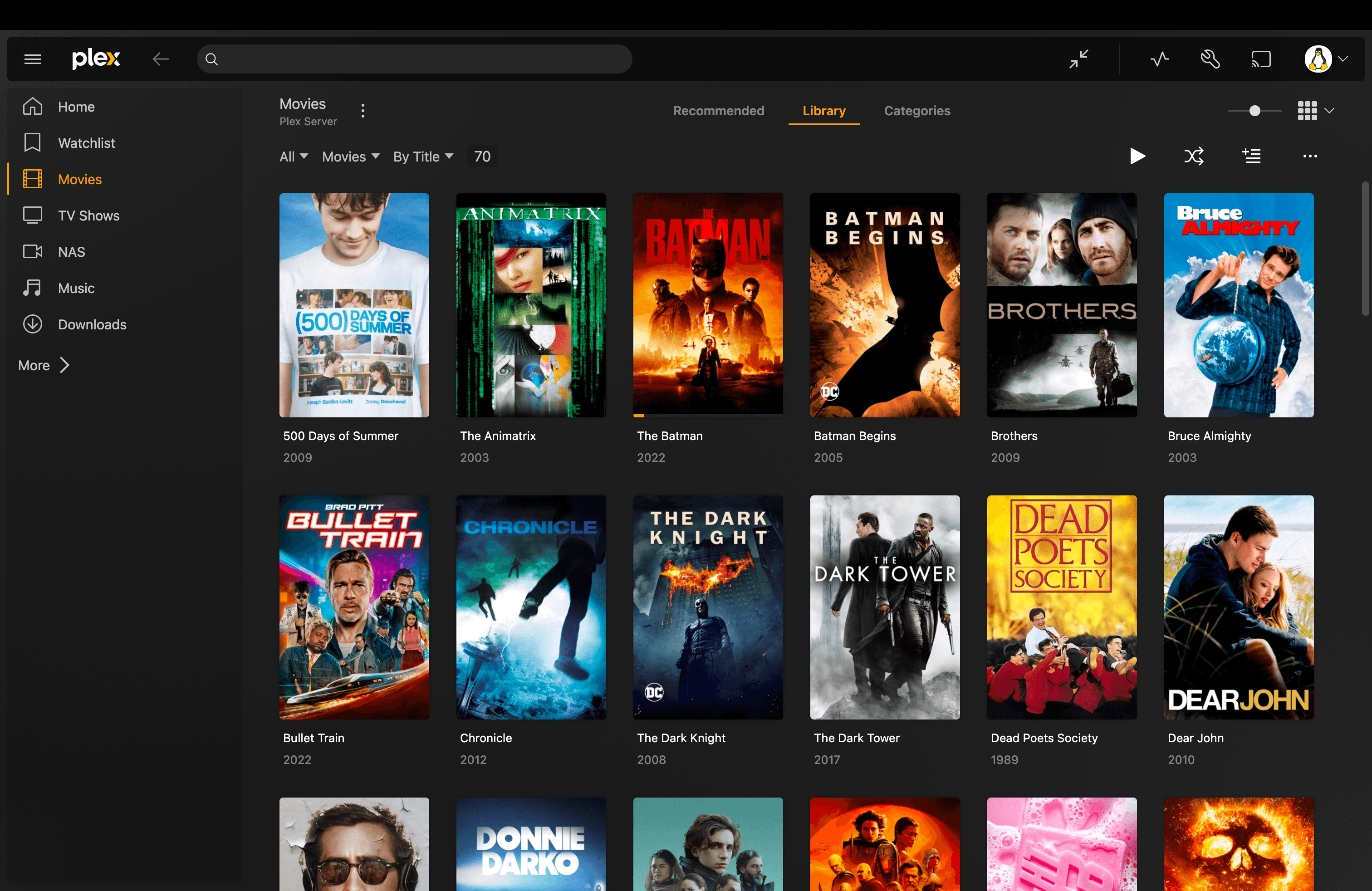
On September 17, 2026, Plex announced↗ that its redesigned experience was starting to roll out on tvOS. In early October Android TV and Shield users started posting the same complaints after their own update, and the r/PleX front page has been full of them since. I run Plex with a lifetime pass, and I rolled my Apple TV back to version 8.45. I hated the new buggy interface, the player is no longer native on Apple TV, settings I used were removed, and the whole release made it feel like Plex is not listening to its community. This post covers how I rolled back, what other people report as broken, and what you can use instead if you do not want to stay on the new app.
Two things up front. The rollback below is unofficial, and Plex or Apple could break it later. And the new app is not hated by everyone, so I will get to the people who like it too.
What changed in the new Plex app#
The last release of the old tvOS app was version 8.45 on January 29, 2025, a fix for direct streaming Dolby Vision Profile 5, according to Plex's own Apple TV thread↗. The Sep 17 post in that thread announces the new experience and moves the release notes to the shared Plex for Mobile & TVs thread↗, which also covers iOS and Android. Users describe the new tvOS app as the same cross-platform app that arrived on iOS and Android last year, and the shared release notes fit that.
The new experience was not a surprise to everyone. Plex had been running it as a preview for a year, and on August 17, 2026 it posted Navigation Updates↗. In it Plex says it had received "consistent feedback from the start regarding the navigation" and moved the primary navigation back to the left side with a collapsible panel. That is the sidebar people mention below, and some users say it fixed the micro-stuttering and audio sync problems the old app had with 4K files.
Plex has kept shipping since the rollout. The release notes show 2026.18.0 on Sep 16, 2026.19.0 on Sep 28, 2026.19.1 on Oct 1 and 2026.20.0 on Oct 13. Some entries answer complaints from the next section: a fix for the Home screen taking several seconds to load on tvOS, preferred audio and subtitle languages per show, and a fix for cast and crew missing on some libraries in 2026.20.0. The same release adds a sponsored Fandango ticket card on movie pages for tvOS and Android TV, which is the kind of change that does not help the "Plex is not listening" feeling.
I read the notes from August to October 13 and found no entry about restoring manual audio offset or ASS font rendering. Everything in the next section is therefore user reports, not confirmed by Plex.
The Android TV and Shield complaints start in early October. The thread about the Shield update↗ is dated October 12.
What people say is broken#
I read the top comments in about a dozen threads. The same complaints come up again and again:
- Audio and subtitle offset: the manual audio offset is gone on Apple TV, according to the top comments in this thread↗.
- ASS/SSA subtitles: one user who watches mostly anime says embedded fonts no longer render and complex typesetting lags. A commenter explains that the old app used libmpv, which handled ASS natively, while the new one relies on Apple's AVPlayer with ASS support added on top. See the rollback thread↗.
- Cast and crew, and the next-episode button: both reported missing on Shield in the rollback request thread↗.
- Library browsing: one user in the lost functionality thread↗ lists missing filters by actor, director and year, and Plex content that can no longer be unpinned from the sidebar.
- Performance: slow menus, long library load times and choppy 4K playback on some boxes.
The most upvoted post of the whole episode is a screen recording of a spinner bug↗ with over 4,600 upvotes. A reply from an account that appears to belong to a Plex developer says the team had patched the cause a couple of times and then disabled view reuse for those animations as a fix.
To be fair to the other side: a thread titled "I feel like I'm in the minority"↗ has plenty of people saying the sidebar and the cleaner design are an improvement, and one user in the Apple TV announcement thread says the update fixed their 4K stuttering. If you never use manual audio offset, fancy subtitles or the filters, you may be fine on the new app. If you rely on one of those, the rollback is the fastest fix.
How to roll back Plex on Apple TV#
This is the method I used. It is not mine. It comes from a Reddit thread↗, and several people in that thread confirmed it works. The idea is simple: download the old tvOS build (version 8.45) from Apple with your own Apple Account, then install that file on the Apple TV from a Mac.
You need:
- A Mac with Homebrew↗ and Xcode (version 27 has the Device Hub used below, older versions use Window, then Devices and Simulators)
- Your Apple TV on the same network as the Mac
- The Apple Account that has Plex on that Apple TV
Step 1: Turn off automatic app updates on the Apple TV. Go to Settings, Apps, Automatically Update Apps, and set it to Off. Do this first. If the TV updates Plex again, you start over.
Step 2: Download the old app with ipatool. ipatool↗ is an open-source command line tool that downloads apps from the App Store with your own account. Install it and sign in:
brew install ipatool
ipatool auth login --email you@example.comEnter your password and the two-factor code when asked. Passing --password on the command line works too, but it ends up in your shell history.
Then download the tvOS build. The external version ID below is the one several people in the thread confirmed for 8.45:
ipatool download -b com.plexapp.plex --platform appletv --external-version-id 871812104 --purchase --verbose -o Plex-8.45-tvOS.ipaCheck that the metadata reports 8.45 before you continue. ipatool has a get-version-metadata command for this, and ipatool get-version-metadata --help lists its flags.
Step 3: Pair the Apple TV with your Mac. Keep the current Plex app installed until the download has finished. On the Apple TV, open Settings, Remotes and Devices, Remote App and Devices. In Xcode, open Xcode, Open Developer Tool, Device Hub, choose the plus button, then Pair Nearby Device, and enter the PIN shown on the TV.
Step 4: Install the file. Select the Apple TV in Device Hub, open the Apps tab, click the plus button and pick Plex-8.45-tvOS.ipa. If installing over the new version fails, delete Plex from the Apple TV and try again. Deleting the app also deletes its local data, so you will have to sign in and set your preferences again.
Step 5: Leave automatic updates off.
A few things to know before you start:
- The file is tied to the Apple Account that downloaded it. An IPA someone else shares will ask for their account and not work for you. That is why the original download link in the thread was removed. Always download your own.
- I avoided installers that re-sign the app. The seven-day expiry people mention applies to free developer provisioning, and the thread author saw no sign that installing an App Store file through Device Hub has it.
- If ipatool fails at sign-in, one commenter found that the latest release at the time (2.6) had a syntax problem that was already fixed in the repository. Building from source with
git clone https://github.com/majd/ipatool, thengo run . auth loginandgo run . downloadwith the same flags as above, worked for them. - iMazing↗ is a free alternative to Xcode for installing the file, and two people in the thread used it.
- Plex's server API has been stable for years, so the old app should keep talking to your server. That is the thread author's expectation, not a guarantee. A future tvOS update or a Plex server change could end it.
How to roll back on Android TV and Shield#
I have not tried this one. A commenter in the Android TV complaint thread↗ says version 10.26.0.2578 is the last build before the redesign and links the file on Plex's own download server. I checked that the link is live, and it is a 63 MB file:
https://downloads.plex.tv/Kepler/kepler-arm64-v8a-googlePlay-10.26.0.2578-6cc7ea1a.apkThat is the 64-bit ARM build, which matches the Shield. Check what your device needs before you install it. You sideload it with a file manager or adb install, and you should turn off automatic updates for Plex in the Play Store afterwards. Users in the Plex app updates thread↗ report rolling back an Android TV box and getting AV1 direct play working again.
On Roku and most smart TVs I do not know a way to install an older build. There the only options are waiting for fixes or switching clients.
Plex alternatives: Infuse, Plezy and Jellyfin#
I have not used any of these three as my main app. What follows is from their own pages and from what Reddit users report, and I say so where it matters.
| Infuse | Plezy | Jellyfin | |
|---|---|---|---|
| Type | Closed-source player app | Open-source client (GPL-3.0) | Open-source media server |
| Works with | Plex, Jellyfin, Emby | Plex, Jellyfin, Emby | Jellyfin server only |
| Apple TV | Yes (tvOS 18.5+) | Yes | Swiftfin (official), also Infuse |
| Android TV | No | Yes, including Shield | Yes |
| Price | Free tier, Pro from $1.99/month | Free on desktop, paid on iOS in some regions | Free |
Infuse#
Infuse↗ is a video player for Apple devices that connects to Plex, Emby and Jellyfin. The free version plays your library, and the subtitle formats listed on its site include SSA/ASS. Dolby Vision and Dolby Atmos pass-through are Pro features. Pro costs $1.99 a month, $16.99 a year or $99.99 once, with a 7-day free trial.
On Reddit it is the app people name when they care about Atmos and Dolby Vision on Apple TV. In the Apple TV announcement thread, one user who wanted to drop Infuse says the new Plex app still has no Atmos support and that they would have to keep it.
Plezy#
Plezy↗ is an open-source client for Plex, Jellyfin and Emby built with Flutter, under the GPL-3.0 license. It has offline downloads, Watch Together, HDR and Dolby Vision, and runs on Windows, macOS, Linux, iOS and Android. The developer says it also works on Android TV, including the Shield.
Plezy supports Apple TV, which is where it matters most right now. Its release notes list Apple TV changes such as Siri Remote navigation that matches native tvOS pacing, audio passthrough on by default, Watch Together and Dolby Vision handling, and the README notes a few tvOS limits, for example no offline downloads. The launch threads show the Apple TV version came later, since people were asking for it at first. Check the README for how to install it on your Apple TV.
Plezy also lets you stream remotely without Plex Pass. The developer explained in the launch thread that Plex checks the remote streaming rule inside its own apps, not on your server, so a client that talks to the server directly does not enforce it. Plex has been tightening that rule, though: since March 23, 2026 remote streaming on smart TVs needs a Plex Pass or a Remote Watch Pass. I would not build a setup on a gap that Plex can close.
Jellyfin#
Jellyfin is the one change that takes your server with it. It is free and open source, and there is no paid tier for hardware transcoding or remote access. Swiftfin↗ is the official Jellyfin client for iOS, iPadOS and Apple TV, and it is free. Infuse also supports Jellyfin.
You do not have to leave Plex to try it. A popular Reddit thread↗ makes the point that Jellyfin installs next to Plex and can read the same media folders. I would mount the folders read-only for the Jellyfin container so the two servers never write to the same files. My Jellyfin setup docs cover the install, and the Plex and Jellyfin sections explain how each fits into the rest of the stack.
The trade-offs people report in that same thread:
- Fewer good Jellyfin clients on iOS and Apple TV than Plex has
- Harder to get non-technical family members signed in and watching
- Sharing a library with friends outside your network is simpler on Plex
- Plex has better music support through Plexamp
If you want to see the full stack I run behind these apps, the self-hosted media server post walks through it.
What I would do#
If you are on Apple TV and one specific feature broke, roll back and turn off auto-updates. It is a few commands and one install, and your server and library do not change.
If you want the new app's fixes without its removals, give it a few updates. Plex ships a release about every week and has reversed course on navigation before, as its own August post shows. Neowin covered↗ that earlier rollback too.
If you want out of the situation, install Jellyfin beside Plex and move one device at a time. The worst case is that you still have Plex.
If Plex's pricing worries you too, note that a new Lifetime Plex Pass has cost $749.99 since July 1, 2026, up from $249.99, according to Plex's own announcement↗. Monthly and annual prices did not change.
Comments
Comments run on GitHub Discussions. You sign in with GitHub inside the box below.