Three streaming services were costing me around 40 CHF a month. Netflix, Disney+, and a third I kept mostly out of habit. Half the content I actually wanted wasn't available in Switzerland anyway, region-locked out of reach or just not there. In early 2025 I cancelled all three and spent that money on a Usenet subscription instead.
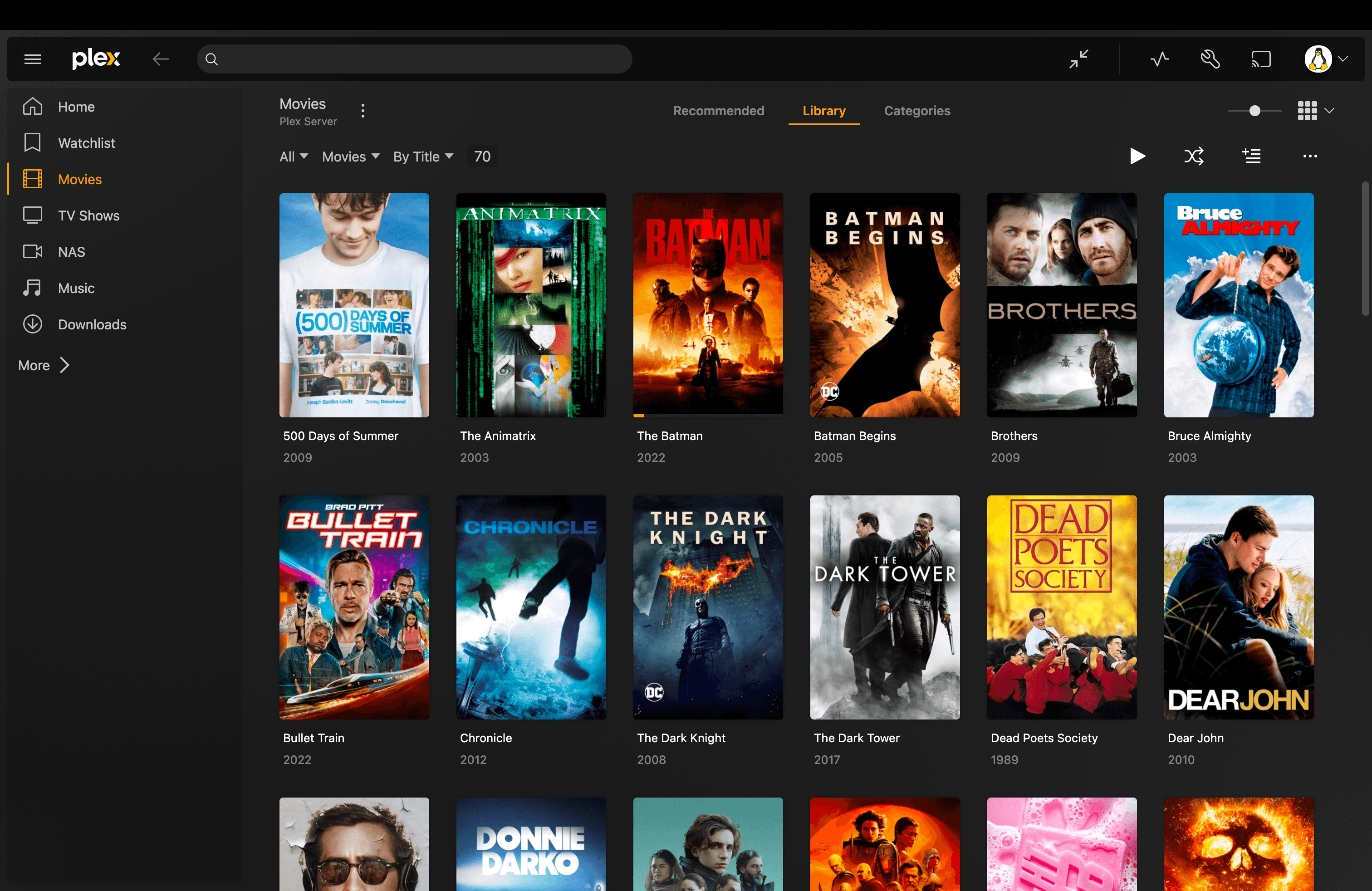
What I have now is a self-hosted media server running Plex, Sonarr, and Radarr on Docker. It pulls, organizes, and streams anything I want, automatically, on every device I own. This post covers the stack, how the pipeline fits together, and what it's actually like to use day-to-day compared to Netflix. For the full step-by-step setup guide, I wrote a dedicated documentation section covering every service and configuration in detail.
What a self-hosted media server is#
A self-hosted media server runs on hardware you own. You store media files locally, and a server application like Plex reads those files and streams them to your devices (phone, TV, browser, whatever) over your local network or the internet.
The difference from a streaming service is ownership. The files live on your drives. Nothing is licensed, region-locked, or removable. You control the quality, the library, and who has access.
Why I stopped paying for streaming#
The cost is the obvious part, but it wasn't the only reason.
Swiss Netflix has a thinner catalog than the US version. Content gets added and removed without warning. Shows get cancelled mid-season and sometimes disappear from the platform entirely. There's an algorithm deciding what goes on the home screen and what gets buried. When a new series drops on a platform you don't subscribe to, you either pay for another subscription or don't watch it.
Self-hosting removes all of that. My library doesn't shrink. There are no recommendations I didn't ask for. When a new show starts airing, Sonarr picks up new episodes automatically, so I never have to think about which platform has it.
Plex or Jellyfin?#
Before picking any other tool, you pick a media server. Both work with the same automation stack (Sonarr, Radarr, Prowlarr, SABnzbd, Seerr) without any changes.
I run Plex with a lifetime pass. But if I were starting today, I would take a harder look at Jellyfin first.
Plex has better client apps, especially on smart TVs and consoles, and remote access works out of the box. The catch: hardware transcoding and remote streaming outside your home are locked behind Plex Pass. The lifetime pass costs $749.99 since July 1, 2026, up from $249.99. Without it, Plex can only software-transcode, which puts real load on the CPU for 4K content, and you cannot stream remotely.
Jellyfin is fully open source and free: no paid tier, no account, no telemetry. Hardware transcoding, remote access, HDR tone mapping: all included. The apps are slightly less polished on some TV platforms, but they work well on Android, iOS, Apple TV, and web. The only thing missing compared to Plex is native PlayStation and Xbox apps.
If you want zero ongoing software cost and full control, start with Jellyfin. The full setup is in the docs alongside the Plex instructions.
The stack: six tools, one pipeline#
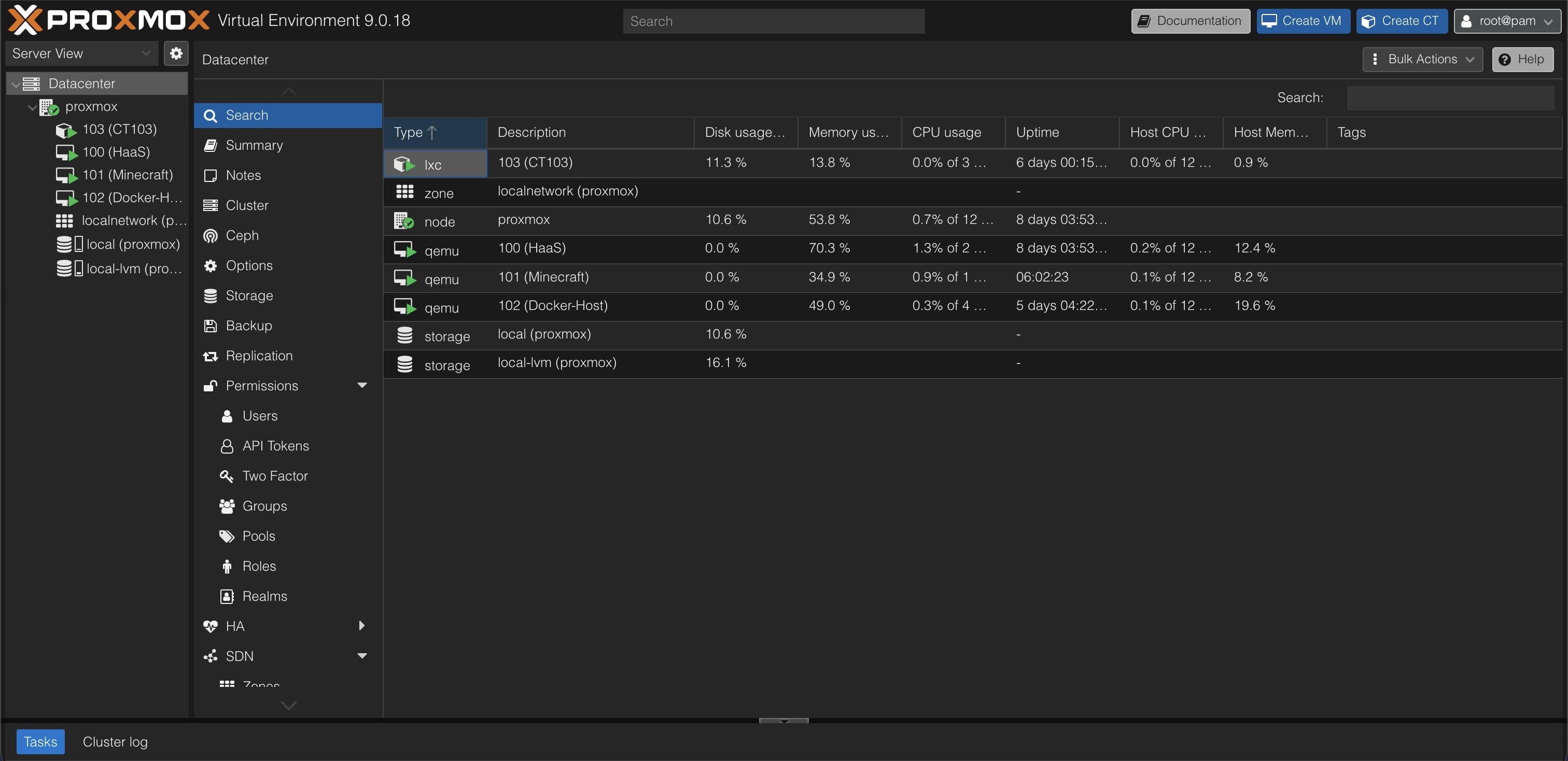
Everything runs in Docker containers on a dedicated VM inside Proxmox VE. Six services cover the full chain from request to playback.
| Tool | Role | Port |
|---|---|---|
| Plex | Streams your media library to any device | 32400 |
| Seerr | Request interface — search and request movies or TV shows | 5055 |
| Radarr | Movie automation — monitors, grabs, and imports movies | 7878 |
| Sonarr | TV automation — same as Radarr but for series | 8989 |
| Prowlarr | Indexer manager — syncs Usenet sources to Radarr and Sonarr | 9696 |
| SABnzbd | Usenet downloader — fetches the actual files | 8080 |
Plex is the front end. It reads the media folders on my server and presents them as a proper library: artwork, descriptions, episode metadata. Apps exist for every platform. Plex Pass paired with the GTX 1650 in my server enables hardware transcoding, so 4K streams don't put any load on the CPU.
Seerr is what everyone else uses. They log in with their Plex account, search for a movie or show the same way you'd search Netflix, and click request. In February 2026, the Overseerr and Jellyseerr projects merged into Seerr; functionally nothing changed for a Plex setup, same interface, new Docker image.
Radarr and Sonarr are the automation layer. They hold a queue of wanted titles, search for releases, and handle quality upgrades over time. Sonarr tracks ongoing series episode by episode; new episodes get picked up automatically.
Prowlarr manages Usenet indexers. Add an indexer once in Prowlarr and it syncs to both Radarr and Sonarr. Without it, you'd configure every indexer twice.
SABnzbd is the downloader. It receives NZB files from Radarr or Sonarr, downloads from Usenet via Newshosting, and drops the finished file in the right folder.
How the pipeline works: request to playback#
The pipeline runs automatically once configured:
Seerr → Radarr / Sonarr → Prowlarr → SABnzbd → import → Plex library- Someone searches in Seerr and clicks request.
- Seerr forwards it to Radarr (movies) or Sonarr (TV).
- Radarr or Sonarr asks Prowlarr to search indexers for a matching release.
- The best NZB comes back and gets sent to SABnzbd with a quality tag and target folder.
- SABnzbd downloads and extracts the archive, then notifies Radarr or Sonarr.
- Radarr or Sonarr moves the file into the media folder and renames it correctly.
- Plex detects the new file and adds it to the library.
Request to playback takes anywhere from a few minutes to a couple of hours depending on the release. No manual steps.
Remote access goes through Cloudflare Tunnels: no port forwarding, no open ports on the router.
The hardware#
The server runs on a Ryzen 5 5600G with 32 GB of RAM, 18 TB of HDD storage for media, and an NVIDIA GTX 1650 for hardware transcoding. Everything runs on Proxmox VE, which keeps the media stack in its own VM, separate from Home Assistant, n8n, and the other services on the same machine.
The GTX 1650 handles multiple simultaneous 4K streams without touching the CPU. Without hardware transcoding, every stream that doesn't match the client's native format gets software-transcoded, which is manageable for one or two streams but not for a shared server.
Full hardware details are in the home server post.
Self-hosted vs Netflix: what actually changes#
The practical difference isn't just cost. The day-to-day experience is different in ways I didn't expect.
| Self-hosted Plex | Netflix (Standard) | Plex TV+ | |
|---|---|---|---|
| Monthly cost | ~10 CHF (Newshosting + Plex Pass, annual plans) | CHF 22.90 | Free |
| Content library | Whatever you add | Netflix catalog, region-limited | Curated free catalog |
| Content ownership | Files on your hardware | Licensed, can be removed | Streamed only |
| Privacy | Local, your hardware | Tracked | Tracked |
| Setup required | Significant (one-time) | None | None |
| Hardware required | Yes | No | No |
| Reliability | Depends on your uptime | High | High |
Quality. Plex streams the original file. There's no adaptive bitrate algorithm deciding how much compression to apply based on your internet speed at that moment. If the file is 4K HDR, that's what you watch.
No catalog anxiety. On Netflix I'd regularly check whether a show was still available before recommending it to someone. That habit is gone. Everything I've added to the library stays there.
The home screen is what you added. The Plex interface shows your library, not algorithmic recommendations for content you didn't ask about.
Plex TV+ is worth a note because people often confuse it with self-hosted Plex. Plex TV+ is a free, ad-supported streaming tier on Plex's own infrastructure; you watch their catalog, not your files. It's a different product.
Is it worth setting up?#
The initial setup took me a full weekend. Getting Proxmox, ZFS, Docker networking, and six services working together correctly is not trivial. You need to understand how files move across bind mounts and filesystems, how Docker container networking handles hostnames, and how to read logs when something breaks.
Ongoing maintenance is light. Updates are docker compose pull && docker compose up -d. When something breaks it's usually a quality profile that's too strict, or an indexer having downtime; both are quick to diagnose.
What it's not: a way to avoid all costs, or a zero-maintenance replacement for streaming. It's a trade. You own the infrastructure, you get the control, you do the upkeep. For me it made sense quickly. For someone who watches one or two shows a month, the effort is probably not worth it.
The full setup guide#
I documented the entire setup: Docker Compose configs, installation steps, and configuration notes for every service. If you want to replicate this stack, start at the Media Automation overview, which walks through each service in order.
FAQ#
Do I need Plex Pass for a self-hosted media server? No. Plex itself is free. Plex Pass adds hardware transcoding, offline sync, and a few other features. If your server has a compatible GPU and you plan to stream 4K to multiple people, Plex Pass is worth it. For a single-user setup or a server with a capable CPU, you can run everything for free.
What's the difference between Plex, Jellyfin, and Emby? All three are self-hosted media servers with similar feature sets. Jellyfin is fully open-source and free: no paid tier, no account, hardware transcoding included. Plex has more polished apps and wider device support, but hardware transcoding and remote streaming require Plex Pass ($749.99 lifetime since July 1, 2026, up from $249.99). Emby sits between the two with a paid Emby Premiere tier. For a new setup where you are not already on Plex, Jellyfin is the stronger default choice unless you specifically need the Plex app ecosystem or PlayStation/Xbox support.
Do I need a Usenet subscription? For this specific stack, yes. Usenet is the download source for Radarr and Sonarr in this setup. The alternative is BitTorrent via qBittorrent, which you can swap in as the download client instead of SABnzbd. Usenet is faster and less dependent on seeders.
Can I run this without a GPU? Yes. The GPU is for hardware transcoding. If all your clients can direct play the file format natively (most modern devices handle common formats), the server never needs to transcode and the GPU does nothing. Where it matters is 4K HDR content on devices that can't direct play it.
Is this legal? The self-hosted Plex setup (running the server, the automation tools, the Docker stack) is fully legal software. What you download and how you source content is a separate question that depends on your jurisdiction.

Comments
Comments run on GitHub Discussions. You sign in with GitHub inside the box below.